AI on Zenifra
Zenifra offers AI models with simple integration, usage-based billing, and direct visibility in the console. The API works with OpenAI-compatible clients that let you configure base_url, api_key, and model.
Required permissions
| Action | Minimum scope |
|---|---|
| Create and manage an AI key | ai_key.create, ai_key.read, ai_key.update, or ai_key.delete according to the action |
| Read usage and costs for a key | ai_usage.read on ai_key:<key-id> |
| Run inference | Use the AI inference credential; it is separate from the organization API Key |
An owner has full access in a user session. assistant, member, and API Keys need the specific grants.
Offering overview
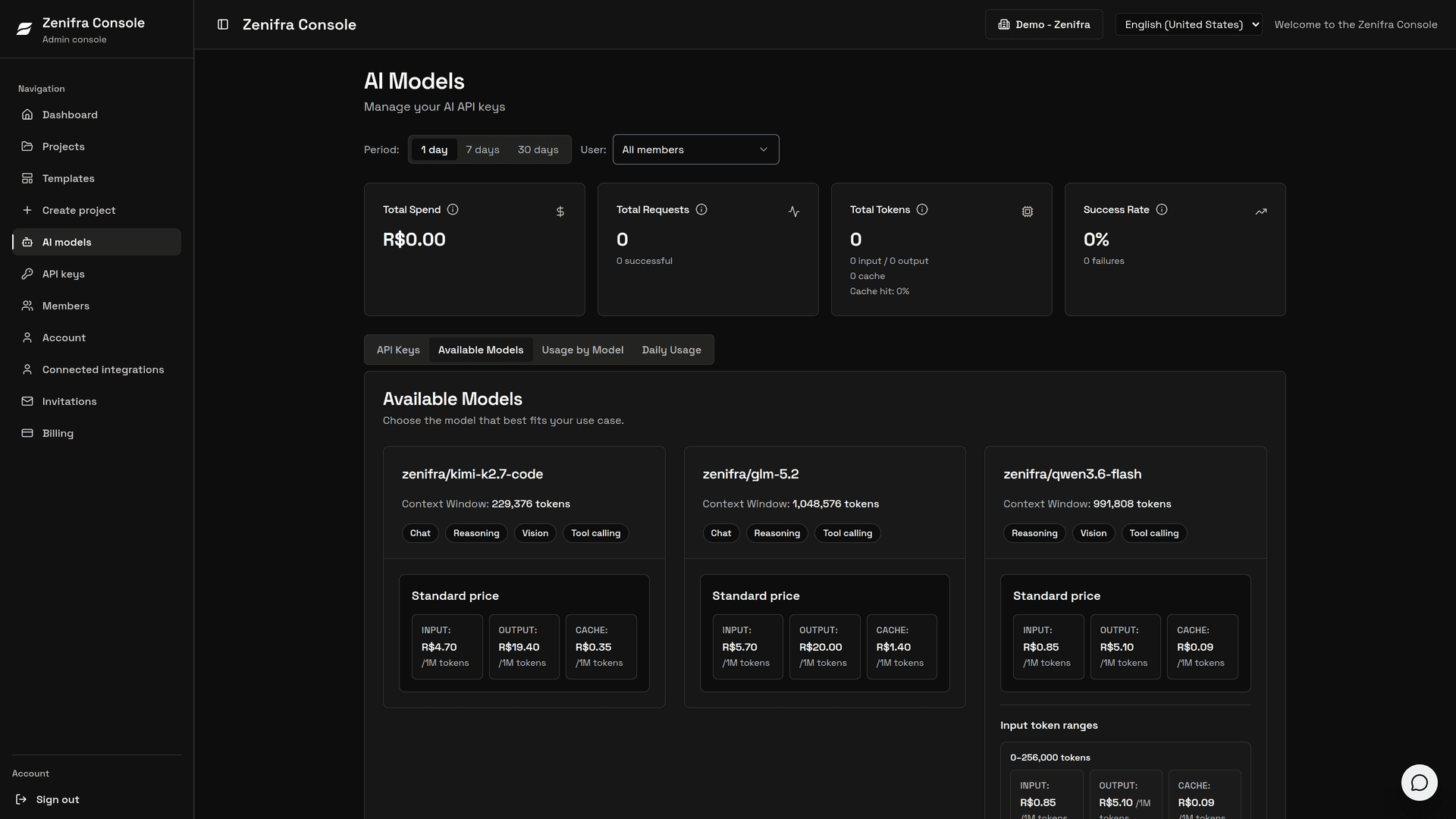
The current model catalog, with IDs in the zenifra/<model> format, context window, output limit, capabilities, and prices in BRL per million tokens, is public:
GET https://ai.zenifra.com/v1/modelsSome examples from the current catalog:
| Model | Context | Input (BRL/1M tokens) | Output (BRL/1M tokens) |
|---|---|---|---|
zenifra/qwen3.8-flash | 1,000,000 tokens | 0.60 | 2.00 |
zenifra/deepseek-v4-flash-0731 | 1,000,000 tokens | 2.20 | 6.60 |
zenifra/kimi-k2.7-code | 229,376 tokens | 4.70 | 19.40 |
zenifra/glm-5.2 | 1,048,576 tokens | 5.70 | 20.00 |
If you already use the official OpenAI SDK, you only need to point base_url to https://ai.zenifra.com/v1, use the key created in the console, and select a catalog model enabled for that key, such as zenifra/qwen3.8-flash.
Pricing and billing
AI usage on Zenifra is billed by token. Some models have off-peak prices or tiers by input-token count; see AI model pricing. Always check current prices and available models in the public catalog or the Zenifra console, because availability can change over time.
AI usage is prepaid and charged per token against the organization's shared credit. When no usable credit remains, new calls are blocked. Saved cards and pending charges do not increase AI usage capacity.
Credit and promotional credit
New users receive R$30.00 in promotional credit while the promotion is available. This credit can also be used with AI.
Management in the console
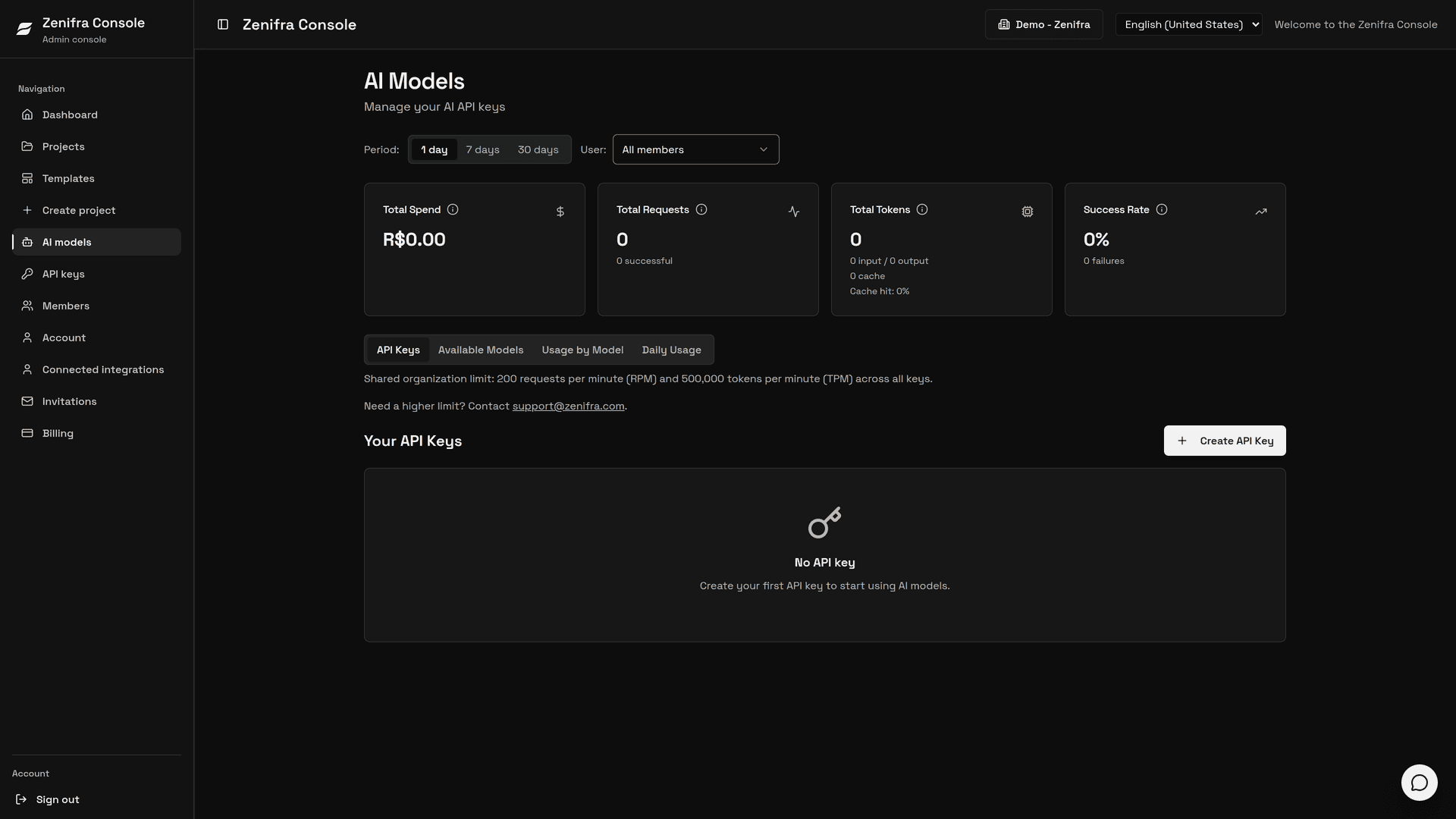
In the Zenifra console, you can track:
- total spend, requests, tokens, and success rate for the period (1, 7, or 30 days)
- daily usage
- usage by model
- available models and their prices
- created API keys, with spend and quota
Common errors
| Code | Possible cause | How to act |
|---|---|---|
401 (invalid_api_key) | missing, invalid, or deactivated key | review ZENIFRA_AI_API_KEY and create a new key if needed |
403 (insufficient_permissions) | the key is not allowed to access the requested resource | review the key's allowed models |
404 (model_not_found) | the model does not exist or is unavailable | use an ID from the GET /v1/models catalog |
429 (rate_limit_exceeded) | requests-per-minute or tokens-per-minute limit exceeded | apply backoff and reduce concurrency |
429 (insufficient_quota) | the organization has no credit or the key reached its quota | add credit or review the key quota |
Getting started
To enable access, open AI Models in the Zenifra console. Then:
- click Create API Key and enter the key name
- select which models the key can access
- optionally define a daily and monthly quota for the key
- copy the key and use it in your application; it is shown only once
You can also set the key's requests-per-minute (RPM) and tokens-per-minute (TPM) limits, up to the organization's shared limit. The key quota never increases the organization's available credit.
The full step-by-step guide is in Getting started with AI.
FAQ
Is the API OpenAI-compatible?
Yes. The current offering is OpenAI-compatible and can be used with clients that allow configuring base_url and api_key.
Where do I see the exact model name?
Check the public catalog GET https://ai.zenifra.com/v1/models or the Available Models tab in the console. Use the id field, such as zenifra/qwen3.8-flash.
Does usage consume account credit?
Yes. AI exclusively uses the organization's usable credit. When it runs out, new calls are blocked; AI does not continue against a card or additional organization credit.
Next steps
Last updated on