Deploy a Lovable app to Zenifra
You keep building and editing the app in Lovable, and Zenifra publishes a new version on every change. The path goes through GitHub: Lovable pushes the code to a repository, and Zenifra builds and publishes from it.
This guide was tested end to end with a new Lovable app on Lovable's free plan: sign-in, the Lovable Cloud database, a server function, and an automatic deploy after an edit.
The video is a real recording of the whole path: the app built in Lovable, the repository on GitHub, the project created in the Zenifra console, the app live and a Lovable edit deployed on its own. Only the waits, app generation and the build, are sped up.
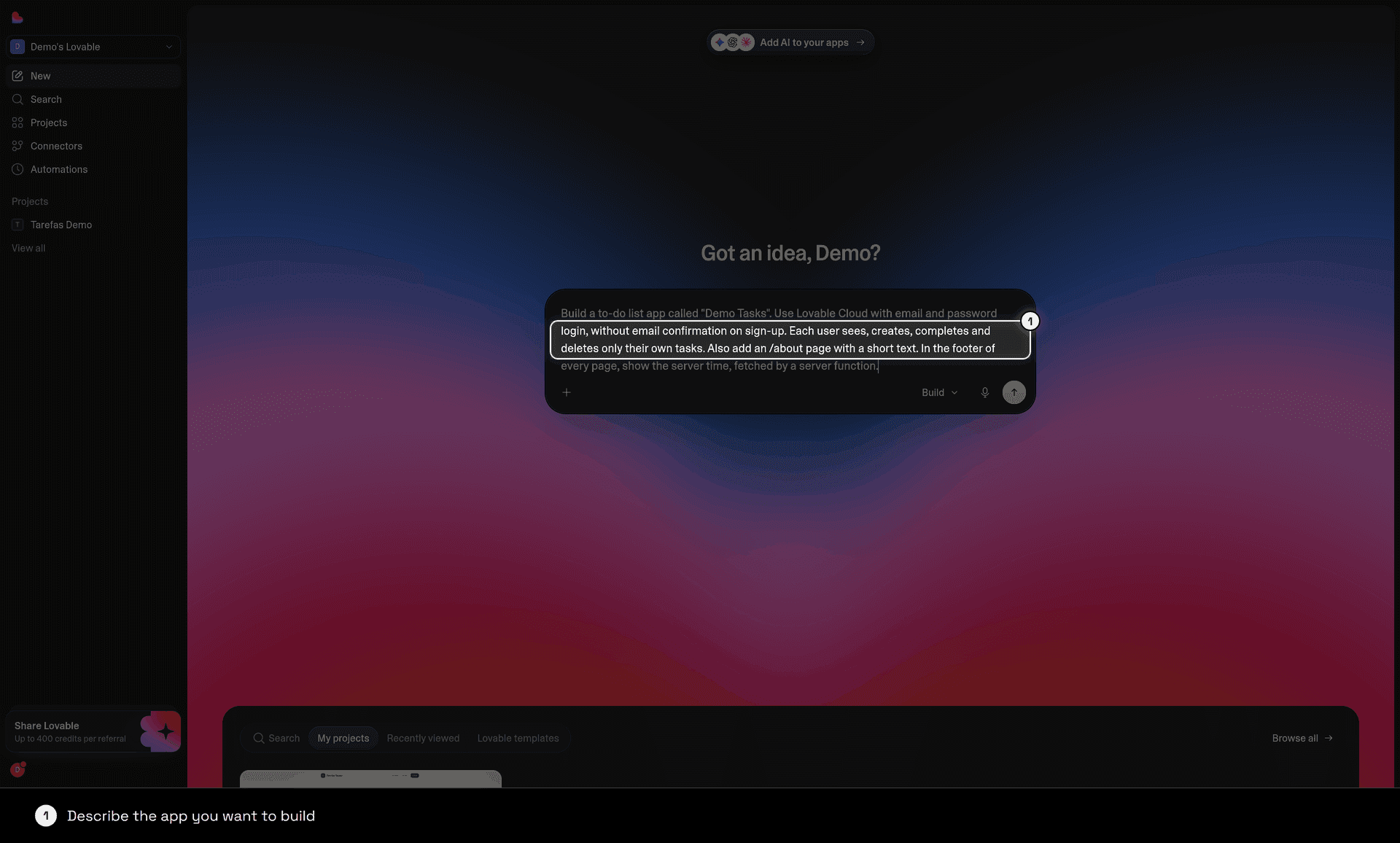
1. Build the app in Lovable
Describe the app in Lovable and wait for the first version. If the app has sign-in or stores data, Lovable uses Lovable Cloud, which keeps working with the app published on Zenifra.
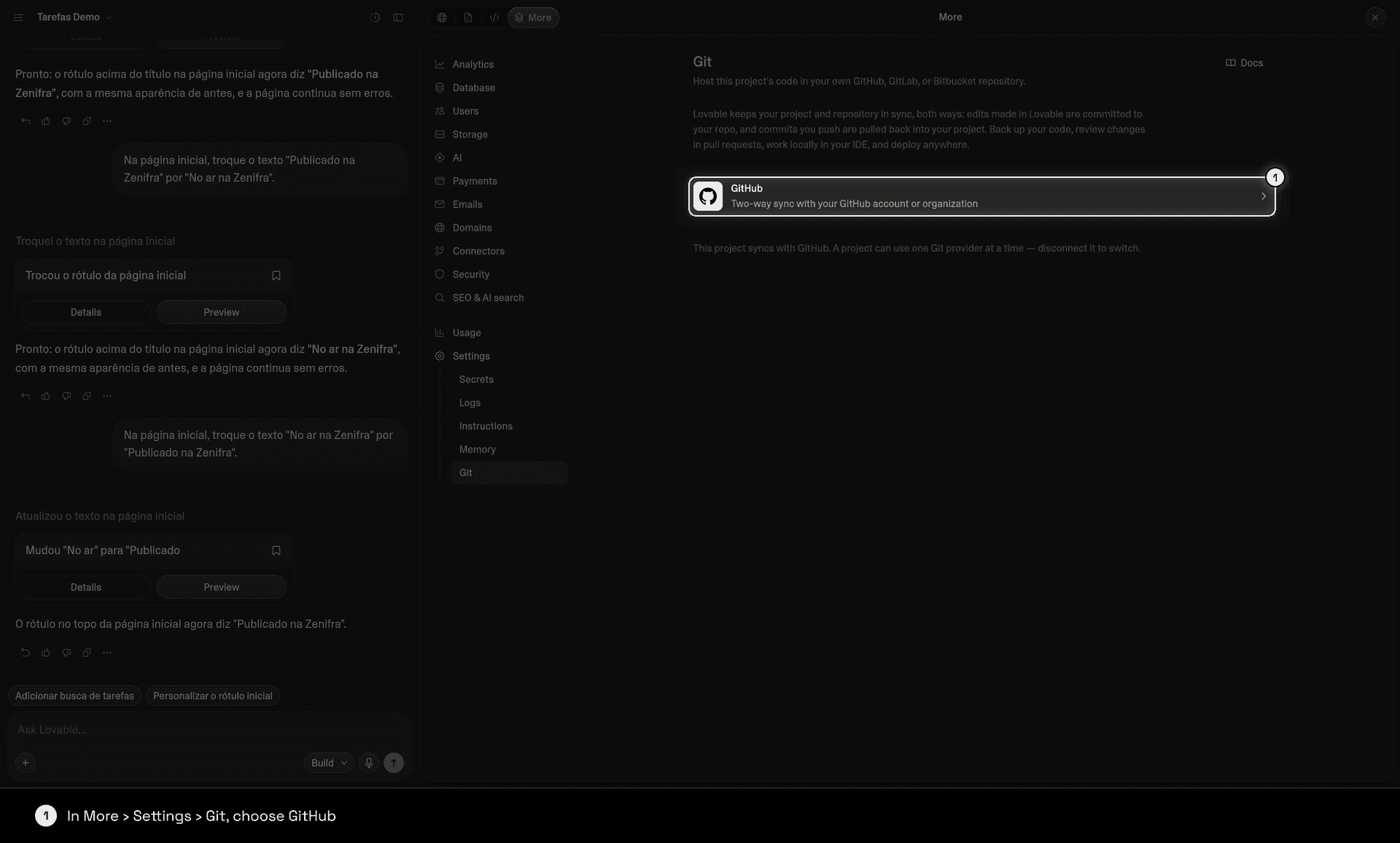
2. Sync the project with GitHub
In the Lovable project, open More › Settings › Git and choose GitHub.
- Click Add connection.
- On GitHub, authorize the lovable.dev app and choose the account or organization to install it on.
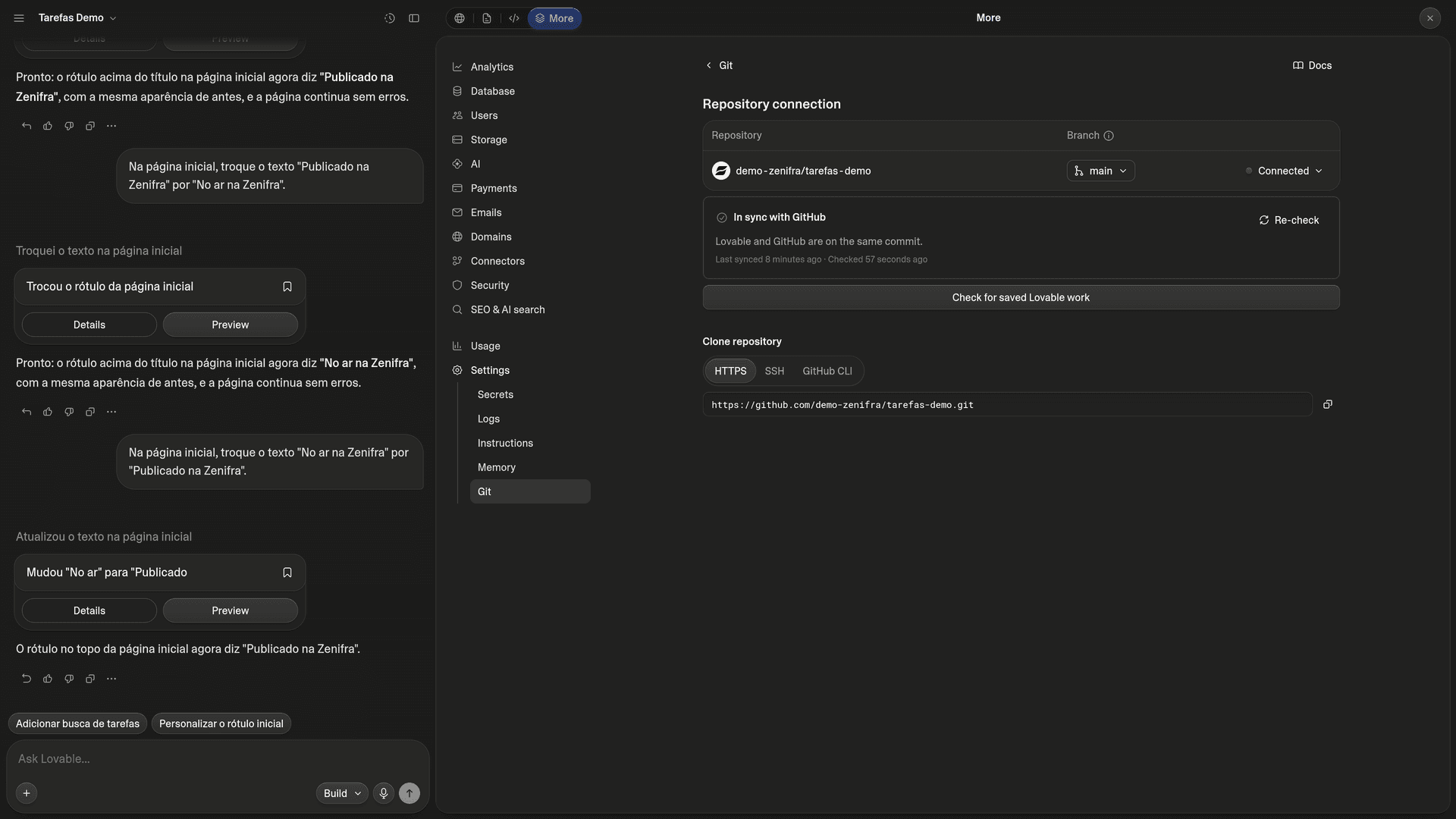
- Back in Lovable, connect the project to that account. Lovable creates a new private repository named after the project and syncs the
mainbranch.
- GitHub sync works on Lovable's free plan.
- You can't link an existing repository: the connection always creates a new one.
- Sync goes both ways: what you change in Lovable becomes a commit on GitHub, and a push to
mainflows back into Lovable.
Details in Lovable's GitHub documentation.
3. Connect the same GitHub to Zenifra
In the console, connect your GitHub account and install the Zenifra GitHub App on the account or organization where Lovable created the repository. The repository is private, so it must be included in the installation.
4. Create the project on Zenifra
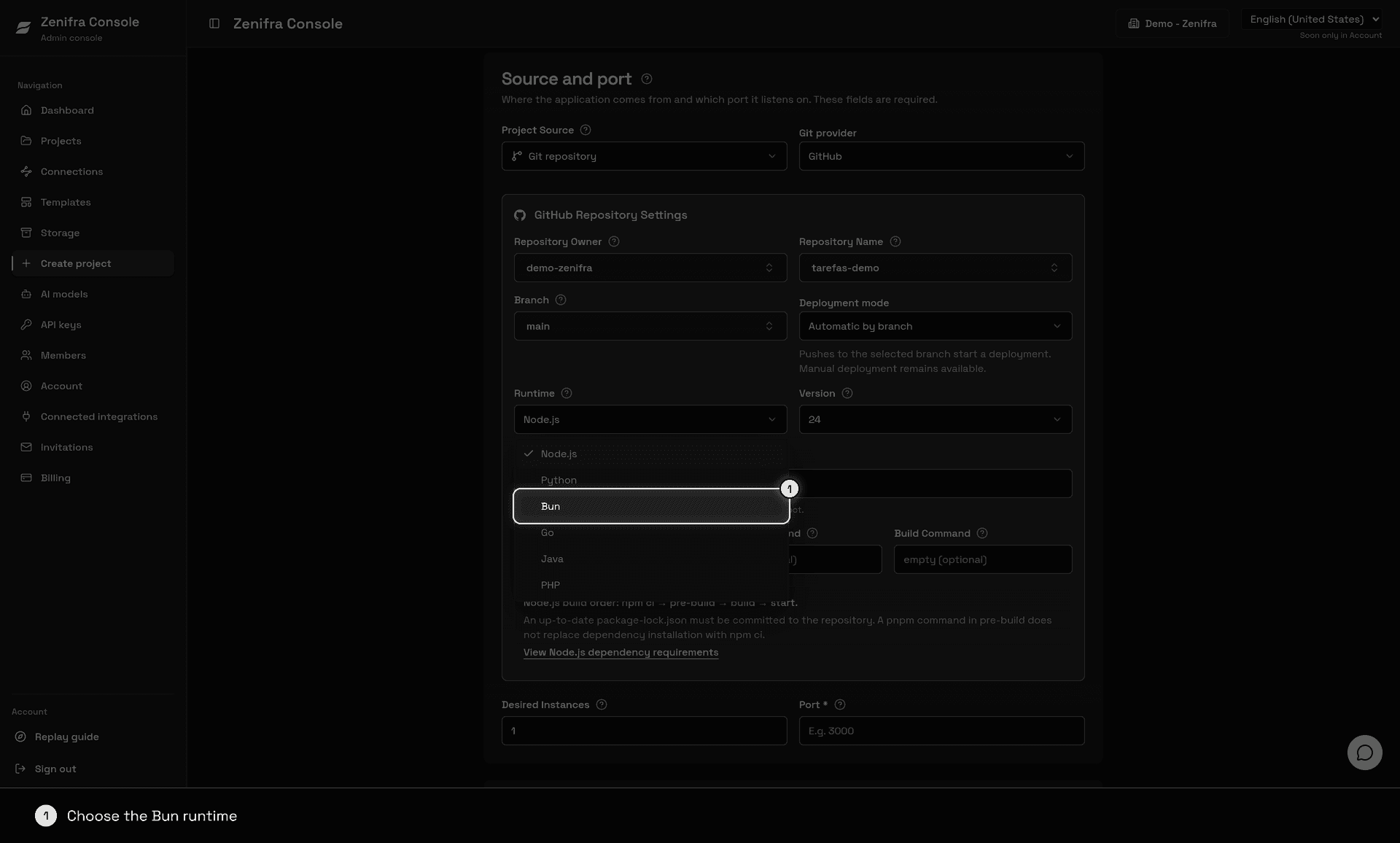
Click + Create project, choose HTTP Application, the Basic plan, and name the project. In Source and port, choose Git repository, GitHub as the Git provider, the repository Lovable created, and the main branch.
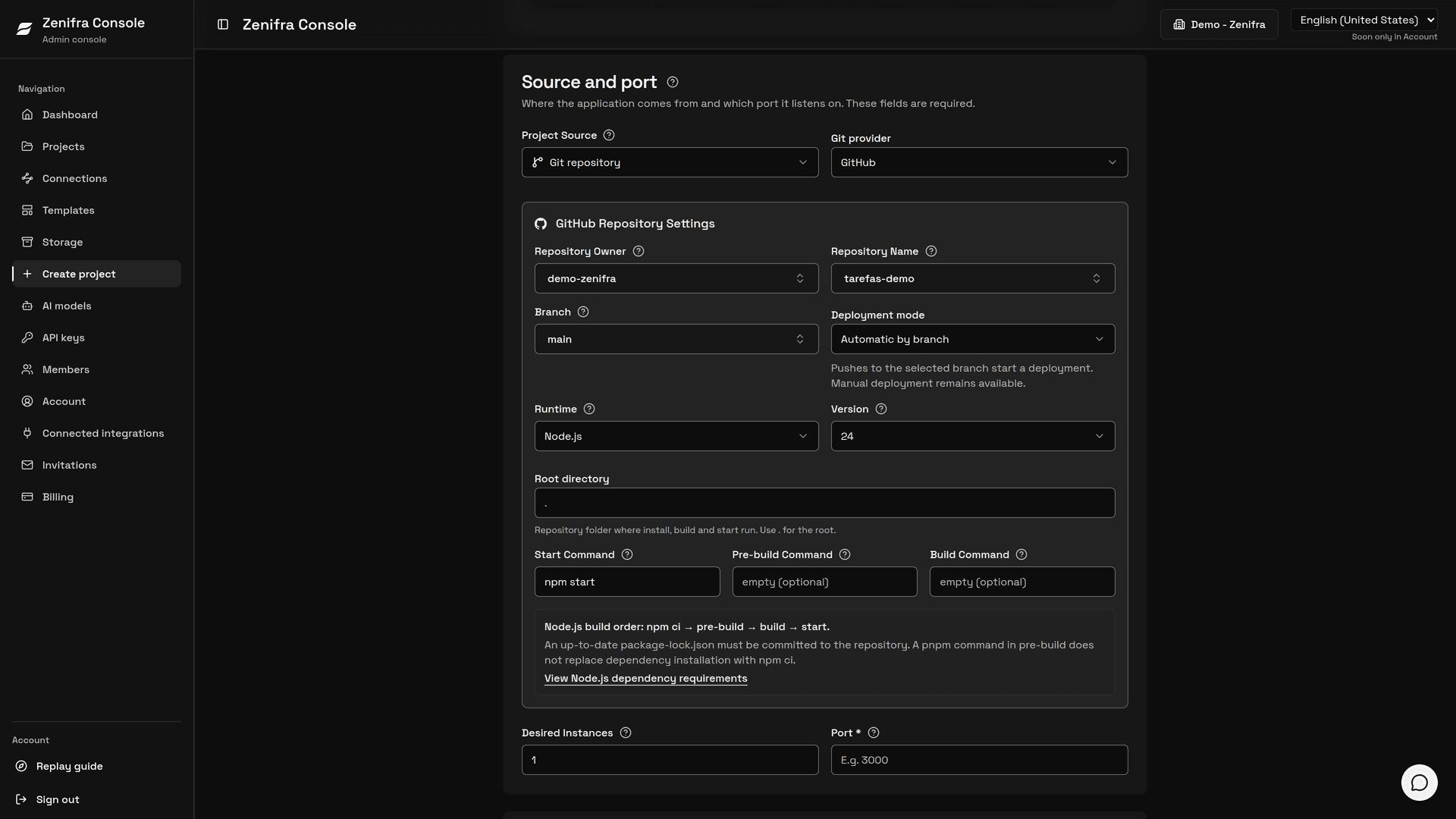
Apps built in Lovable use TanStack Start: package.json lists @tanstack/react-start. Fill in the fields like this:
| Field | Value |
|---|---|
| Runtime | Bun |
| Version | 1.4 |
| Build command | bun run build |
| Start command | bun .output/server/index.mjs |
| Port | 3000 |
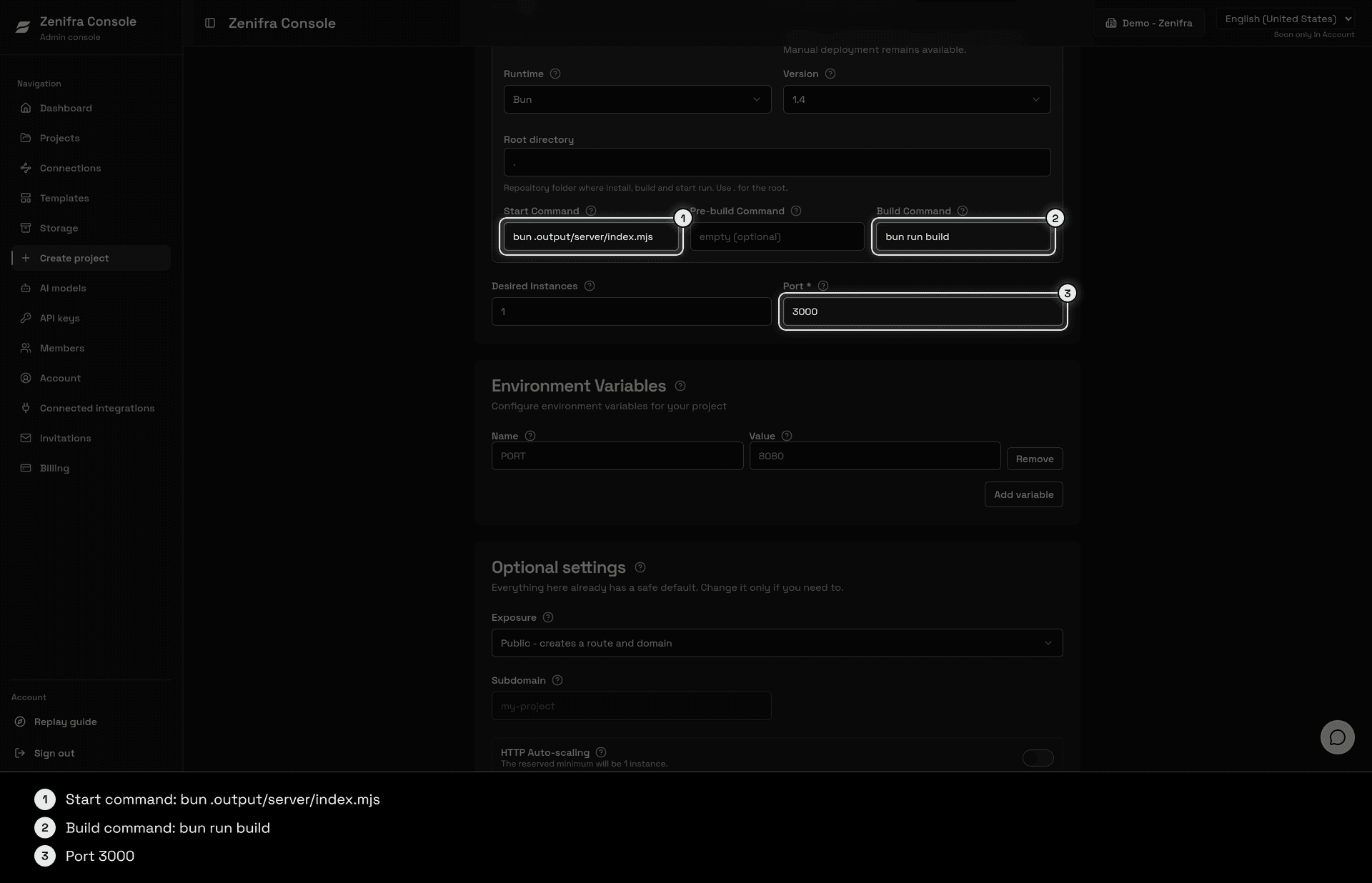
Lovable keeps a bun.lock in the repository. On the Bun runtime, Zenifra installs dependencies with bun install --frozen-lockfile from that file, at the same versions Lovable uses. There is no other lockfile to generate or maintain.
Under Environment Variables, add:
| Variable | Value | What it does |
|---|---|---|
NITRO_PRESET | node-server | Builds the server that answers both the pages and the files under /assets |
SUPABASE_URL | from the repository's .env file | Read by the app's server at runtime |
SUPABASE_PUBLISHABLE_KEY | from the repository's .env file | Read by the app's server at runtime |
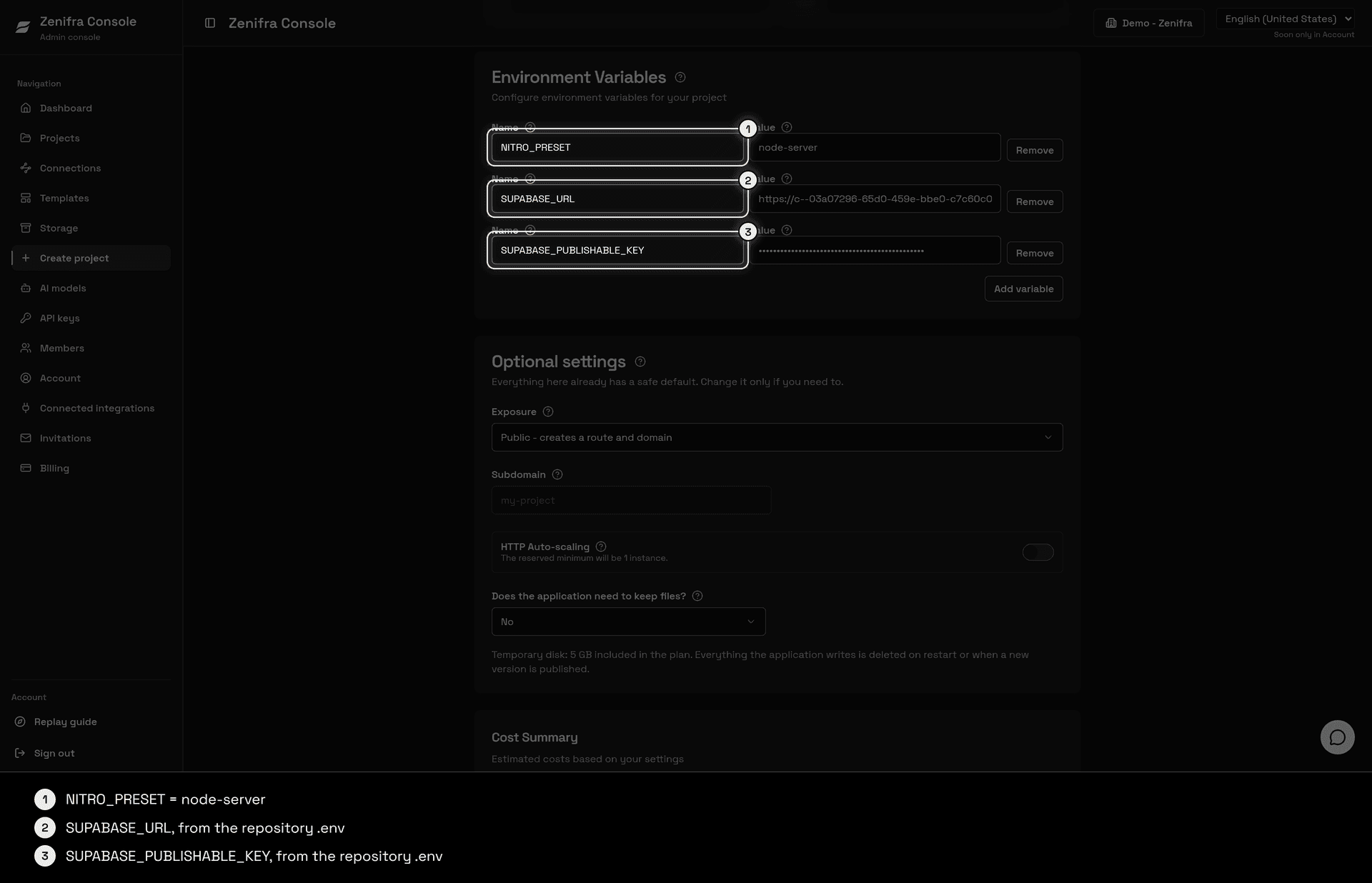
The .env file Lovable pushes to the repository already has VITE_SUPABASE_URL and VITE_SUPABASE_PUBLISHABLE_KEY. The build reads that file, so you don't need to add those two in the console. Also add the secrets the app's server functions read, such as external API keys: they are not in the repository, so take each value from its source.
NITRO_PRESET is required. Without it, the server starts and returns the HTML, but answers 404 for the JavaScript files under /assets, so the page doesn't respond to clicks or sign in.
5. Publish and test
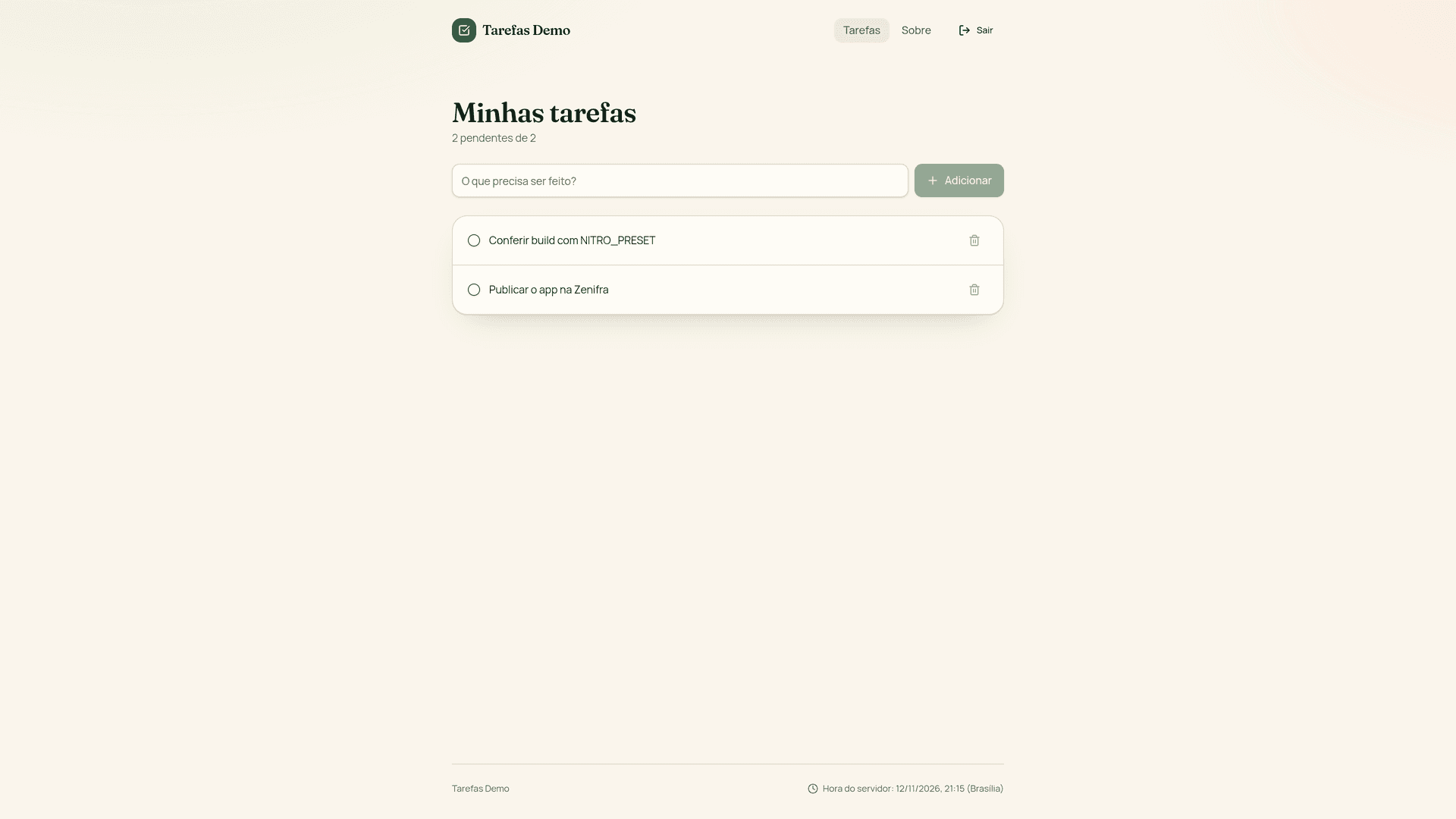
When you create the project, the first build starts right away and takes about a minute. Follow it in Build logs.
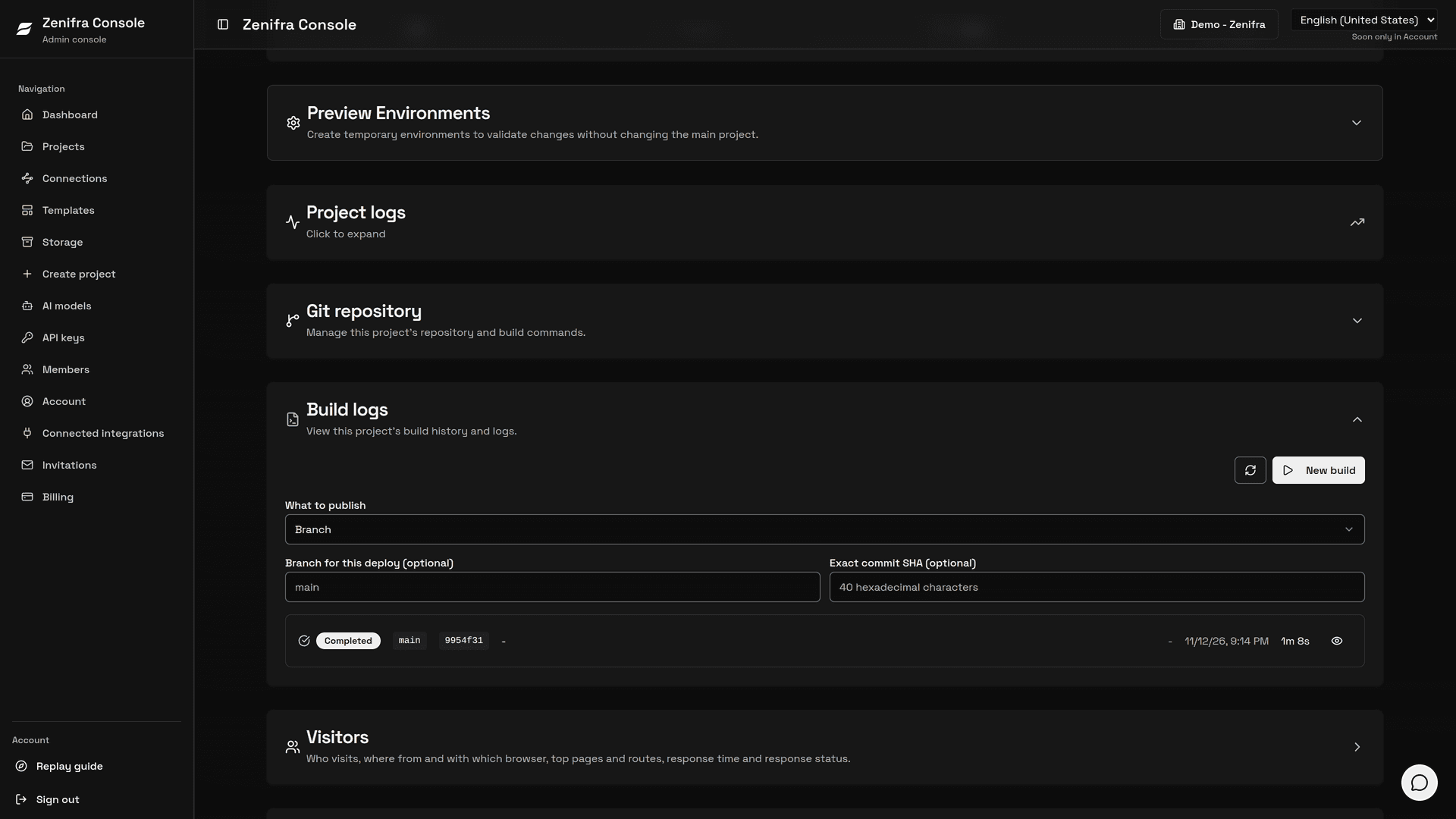
When the build finishes, open the project URL and test:
- an inner route, reloading the page in the browser;
- sign-up or sign-in and a screen that reads and writes data;
- an action that calls a server function.
6. Keep editing in Lovable
Every change made in Lovable becomes a commit on main, and Zenifra publishes the new version on its own, with no clicks in the console. See Auto deploy.
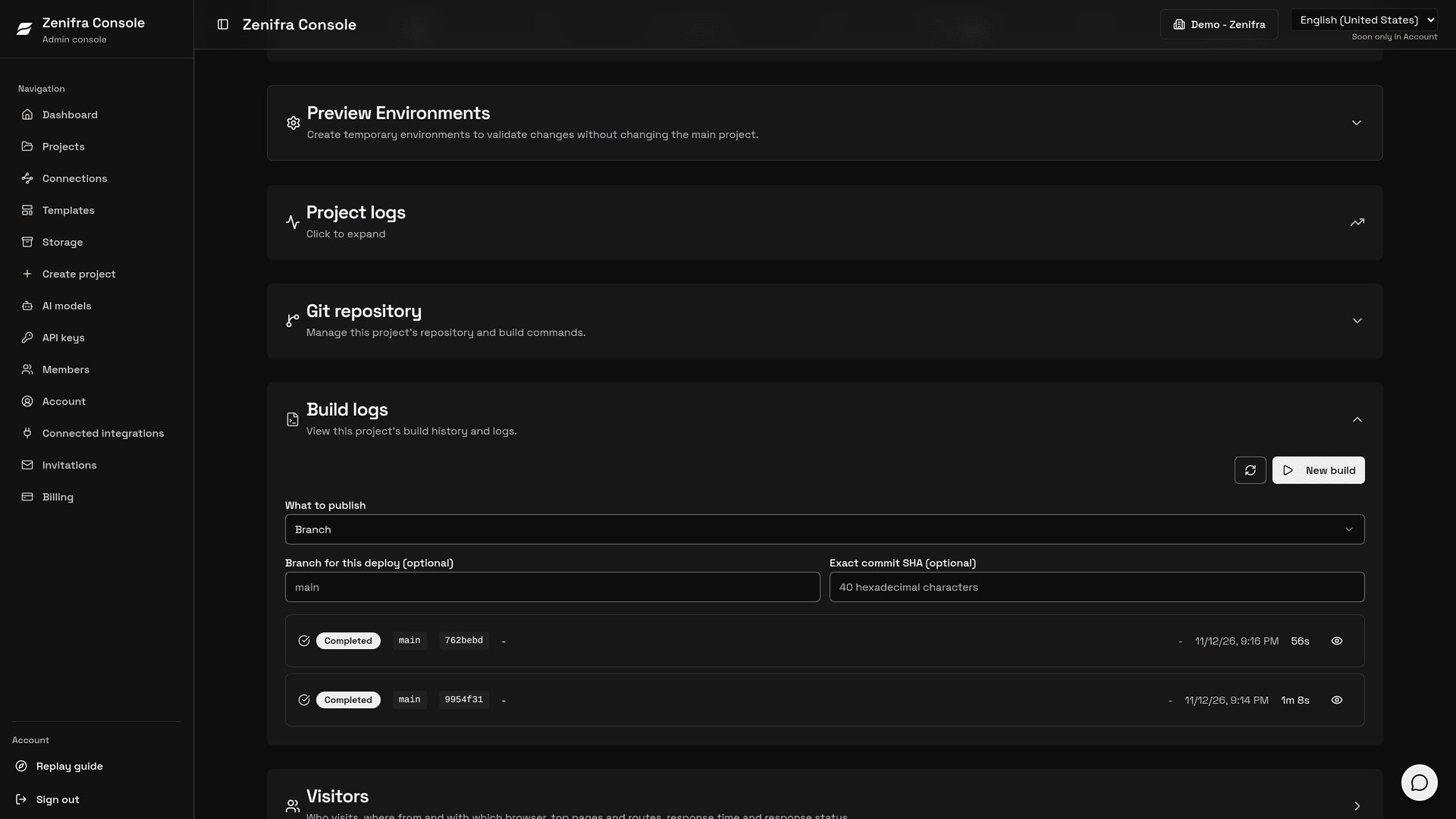
If you change NITRO_PRESET in the console, choose New build in Build logs: it is read at build time, not at start.
What stays on Lovable
Zenifra now serves the app, but Lovable's built-in backend (database, sign-in, file storage, and Lovable Cloud Edge Functions), connectors, and AI keep running on Lovable. The app published on Zenifra uses the same data as the app published on Lovable.
To move the backend away from Lovable as well, follow the Complete a move away from Lovable guide in their documentation. Sign-in credentials, secrets, files, and connectors have to be recreated at the destination.
Older projects (React + Vite)
Older Lovable projects may not have @tanstack/react-start in package.json. In that case the app is a static site built into the dist folder: see Static sites and SPAs.
Custom domain
Once the app works on the Zenifra URL, point your domain to the project. See Custom domains.
Common problems
| Symptom | Likely cause | What to do |
|---|---|---|
The page opens but doesn't respond to clicks and sign-in doesn't show; the browser console shows 404 for /assets/*.js | NITRO_PRESET=node-server is missing | Add the variable and choose New build |
| 502 error right after the build finishes | The instance is still starting | Wait a few seconds and reload |
| The Lovable repository doesn't show up when creating the project | The Zenifra GitHub App isn't installed on the repository's account or doesn't include the repository | Check the installation in Connect GitHub |
Last updated on
AI-built apps
Deploy apps built on Lovable or Replit to Zenifra: the code goes to GitHub and Zenifra publishes every change, with servers in Brazil and billing in reais.
Deploy a Replit app to Zenifra
Deploy a Replit app to Zenifra: push the code to GitHub, copy the runtime, commands, port, and variables from the .replit file, and bring the PostgreSQL along.