Internal connections between applications
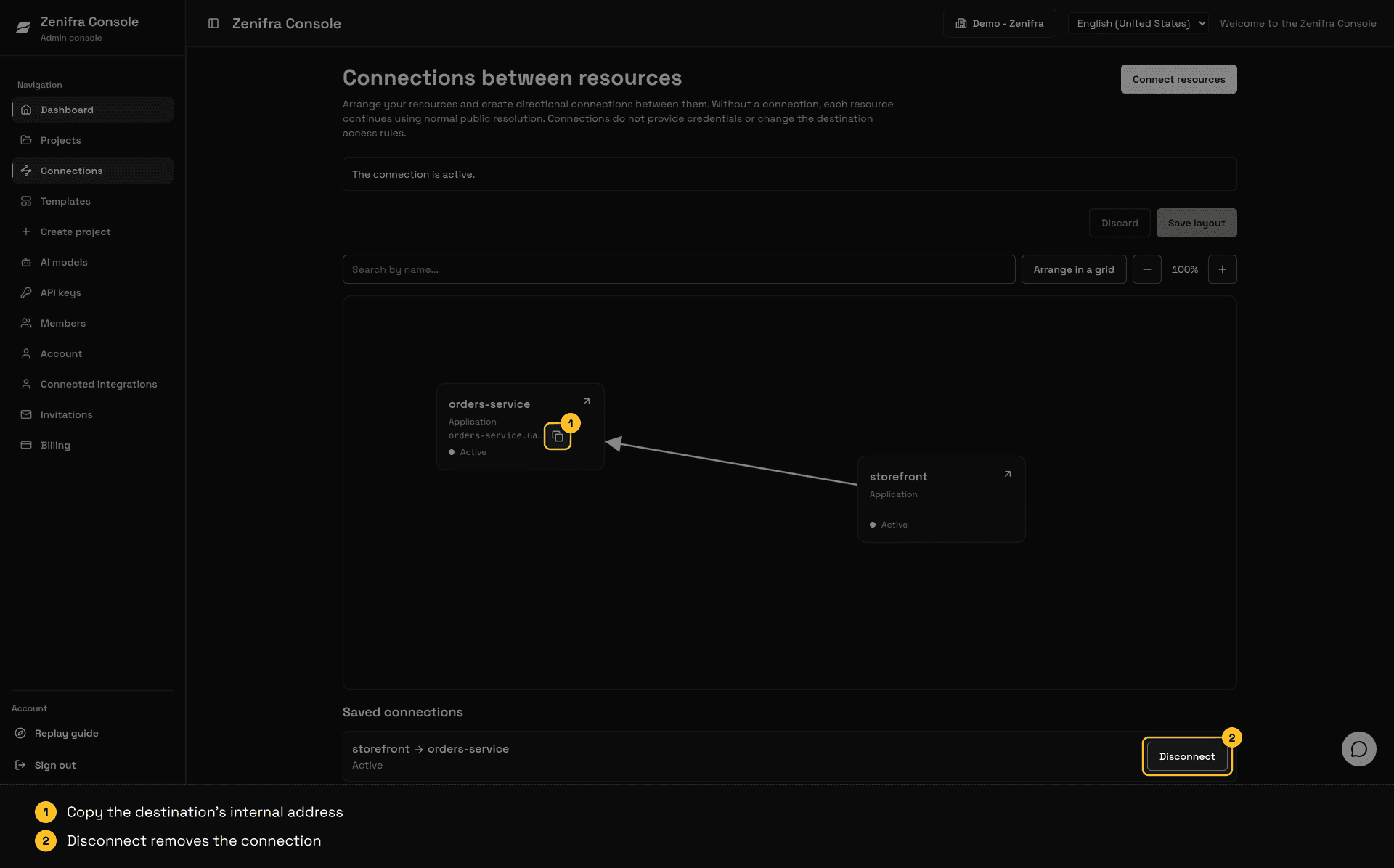
An internal connection creates a private, one-way path between two HTTP applications in the same organization. The source application calls the target application at an internal address, without going through the internet. This works even when the target is private and has no public URL.
How it works
Each connection has a source (the caller) and a target (the receiver). The source calls the target at:
http://<project>.<organization-id>.zenifra.local<project>is a short identifier made of lowercase letters, numbers, and hyphens, set the first time the project takes part in a connection.<organization-id>is the organization's 24-character hexadecimal identifier, shown in the Console and the API. For example:http://checkout-api.6a11bedda78ad3108eb20e2c.zenifra.local.- The address uses the organization identifier to be unique, and it does not change if the project or the organization is renamed.
- The application's public traffic stays protected by HTTPS. Only calls to the internal address use HTTP on the default port, because they travel only inside your organization's private network; no certificate setup is needed for them.
- The target's internal address appears on the map after the project becomes the target of a connection for the first time, and stays the same afterward.
Rules
- A connection applies only in the direction created. Connecting A to B does not let B call A.
- There is no transitive path. If A calls B and B calls C, A does not reach C.
- Without a connection, nothing changes: there is no private path between the applications. Public applications keep reaching each other through their public URL.
- Renaming the project or the organization does not change the internal address. Existing calls keep working.
- Source and target must be HTTP applications in the same organization (not previews). The target must be ready to receive the connection; otherwise creation is refused until it is.
- Preview environments do not take part in connections.
Create a connection
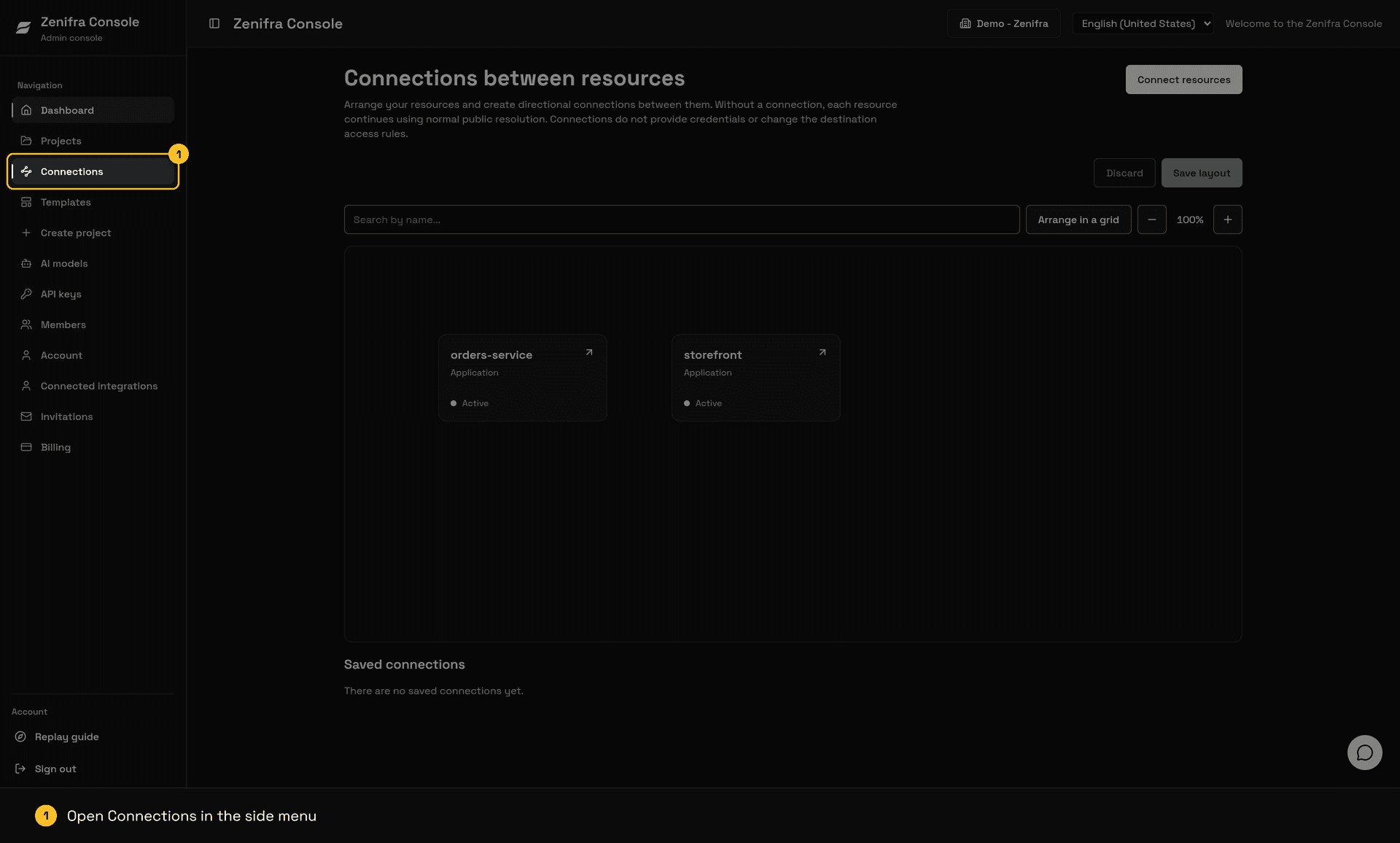
- Open the organization's application map in the Console.
- Drag from the source application's connector to the target application.
- Confirm the creation.
- Wait for the connection status to change from Preparing to Active. Once the source restart finishes, the address is available on every instance of the source.
- From the source application, call
http://<project>.<organization-id>.zenifra.localusing the address shown on the map.
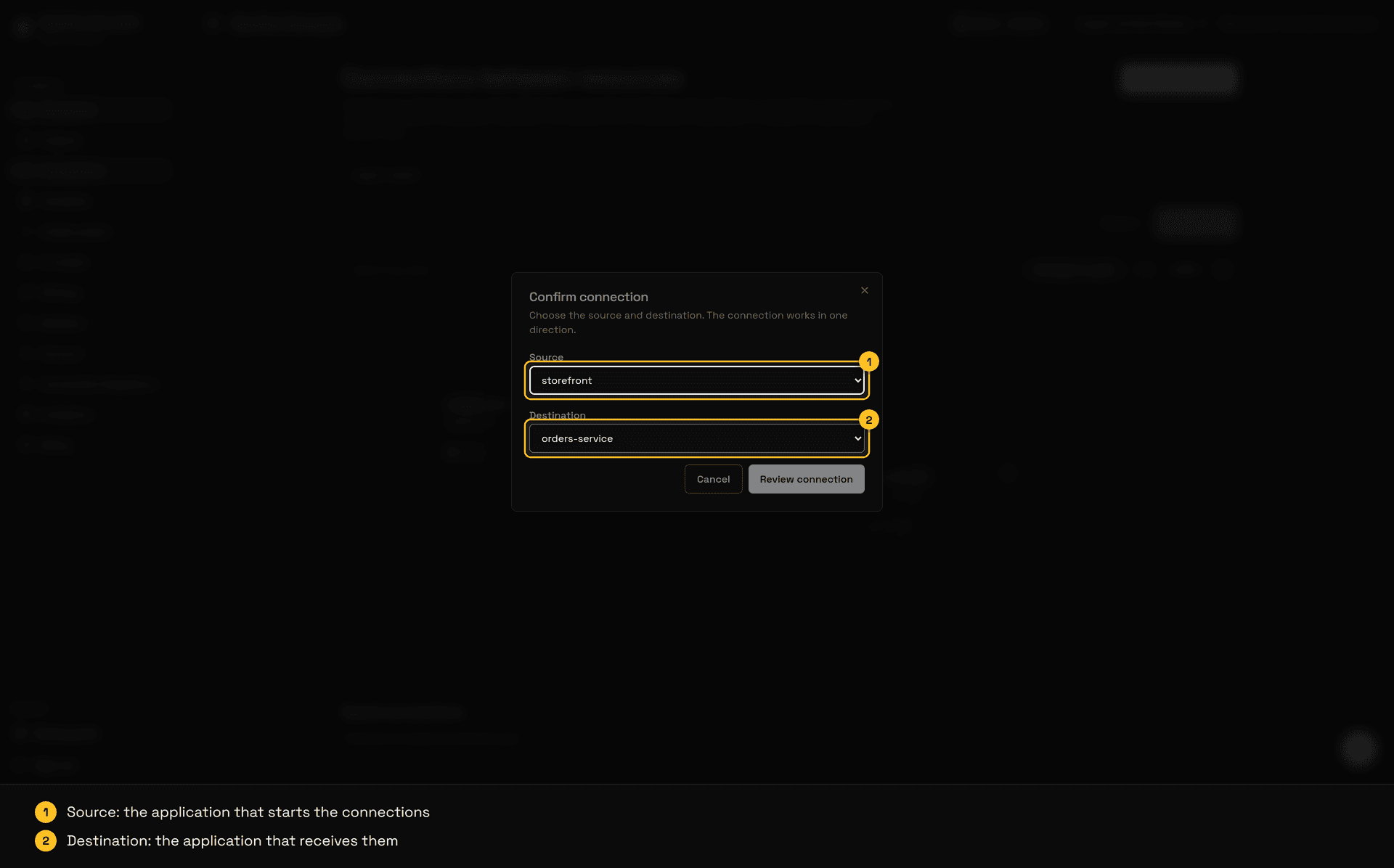
Instead of dragging, click Connect resources, pick the source and the destination, click Review connection, and confirm.
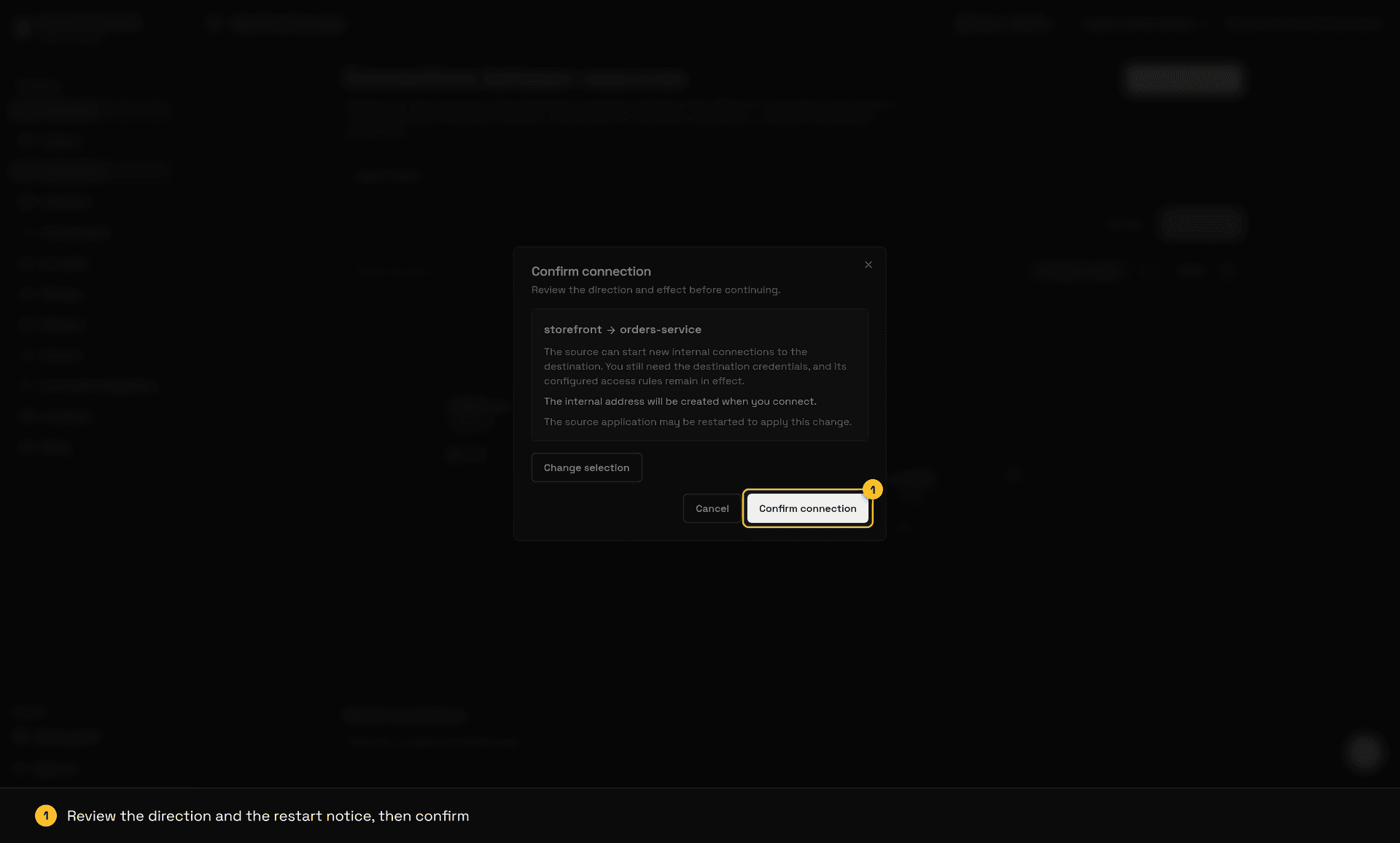
The source application may be restarted to apply the change.
You need permission to change outgoing connections on the source and incoming connections on the target. The organization owner has both.
Remove a connection
When you disconnect, new connections for the pair are blocked immediately. Connections that are already open are not cut by the disconnection itself, but they may end if the source application is restarted to apply the change.
If an operation fails, the connection shows the Failed status and you can try the same action again.
Arrange the map
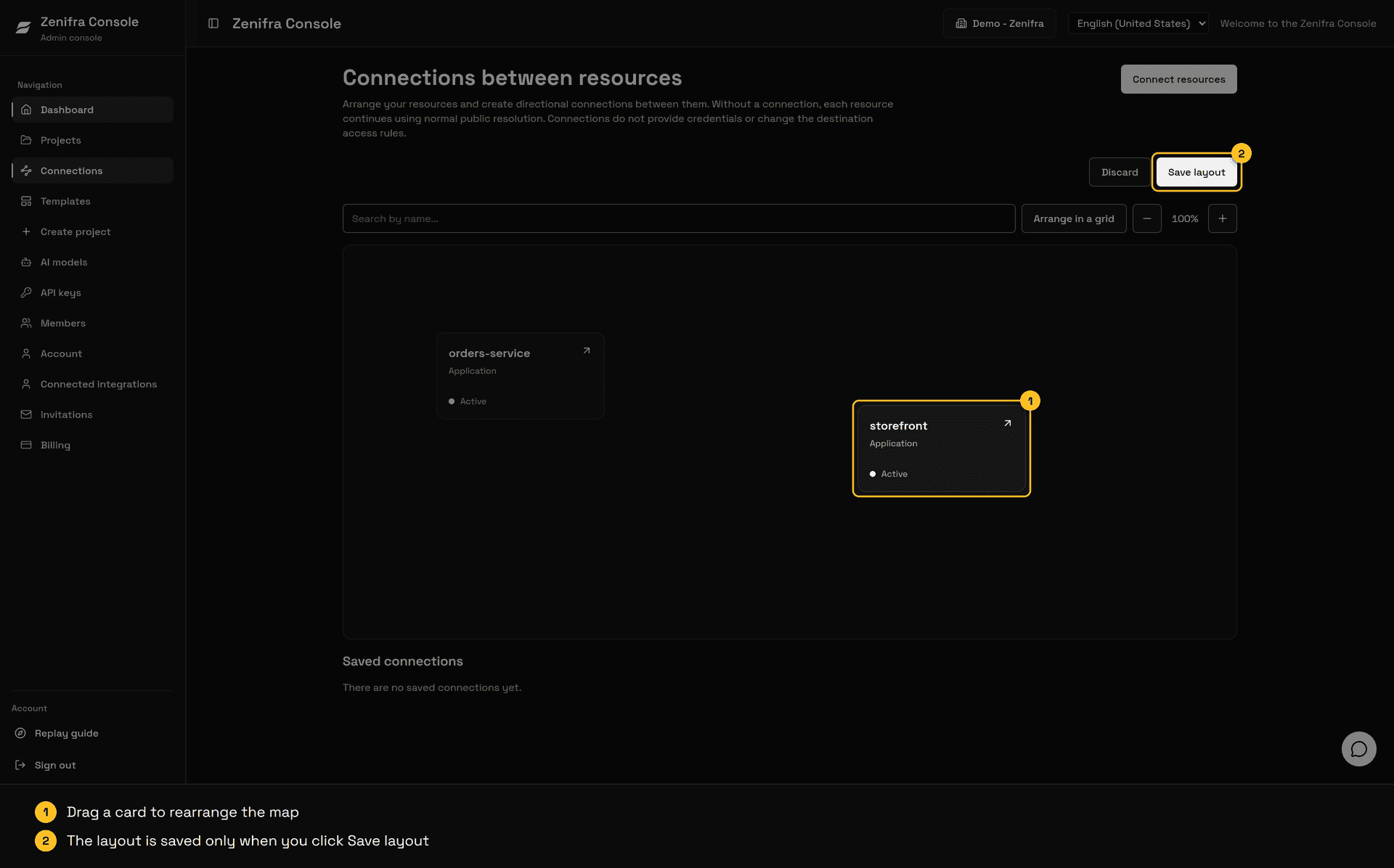
Drag a card body to change only its position. Moving, grouping, or overlapping cards does not create or remove connections. The position is saved separately for each user and organization.
Next steps
- Read the Application Connections API reference.
- Review project configuration options.
- Learn how to configure custom domains.
Last updated on